
On LegendMyko you can play up to 5 characters at once on one phone, in one app. On Android and on iPhone: the characters that are not on the screen keep playing in the background. No other server has this, only LegendMyko.
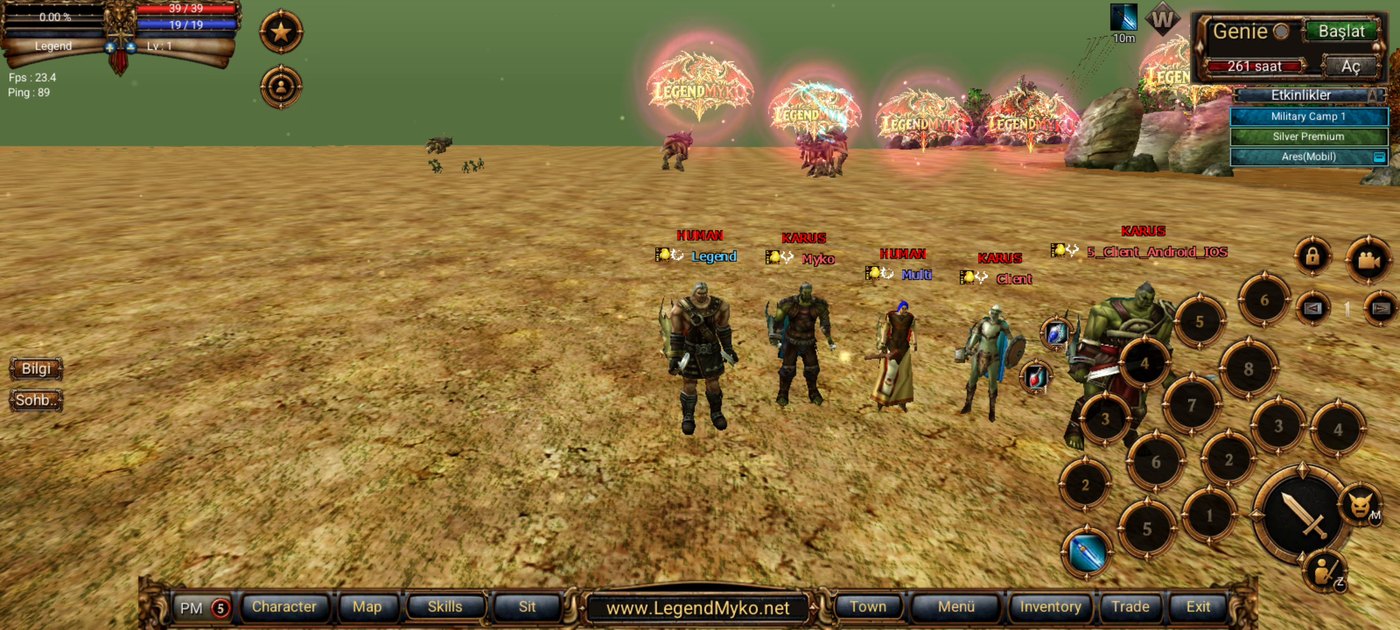
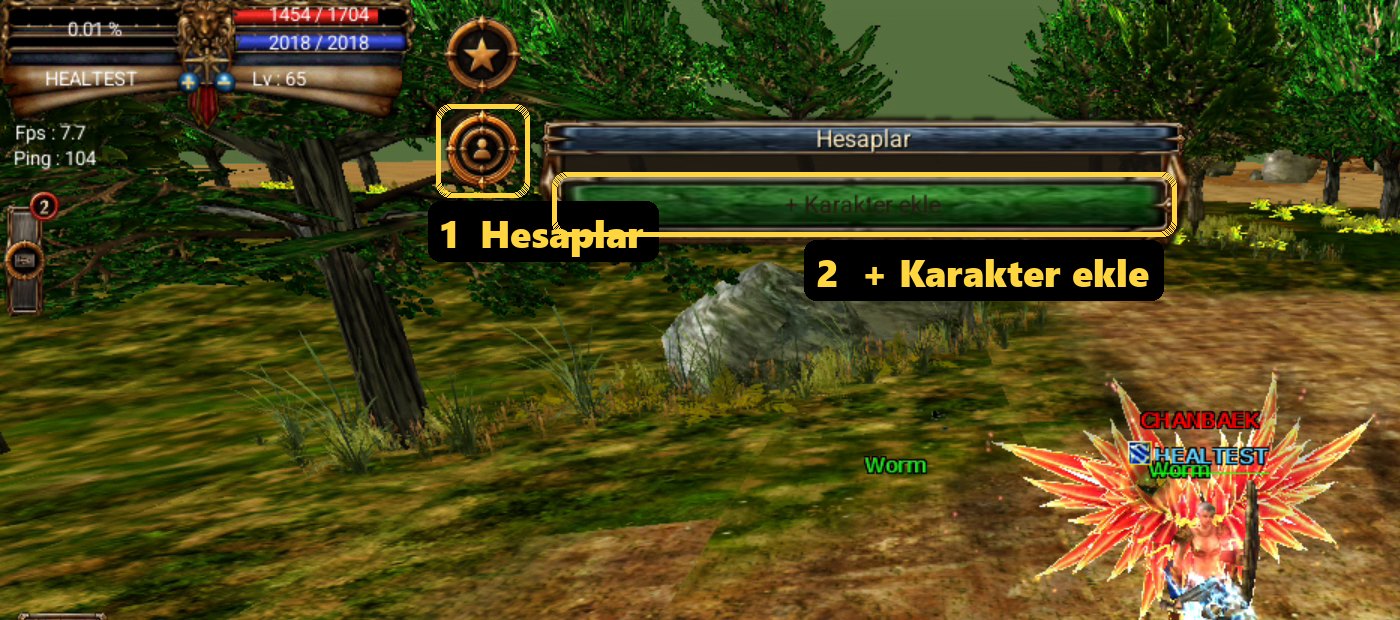
How to add a character
- Open LegendMyko and enter the game with your first character.
- Tap the Accounts (Hesaplar) button under the star at the top left of the screen.
- Tap + Add character. The new character's login opens: log in with your other account and choose the character.
- Add the 3rd, 4th and 5th character the same way.
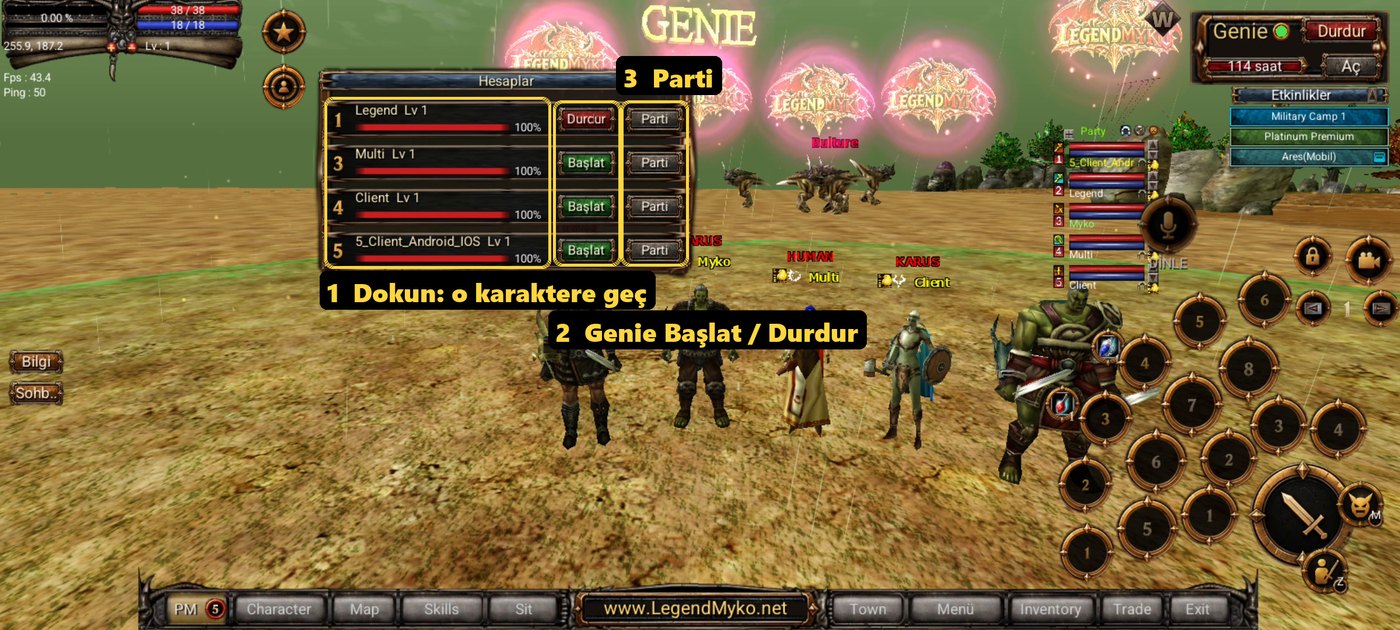
The Accounts window
- Each row is a character: its name, level and HP.
- Tap a row: you switch to that character. The one leaving the screen keeps playing in the background.
- Start / Stop: turn that character's Genie on or off from here (Genie time needed).
- Party: invites that character to your party with one tap; an invitation from your own character is accepted without asking.
- When a character's HP gets dangerously low its row turns red; tap it to switch to that character at once.

Good to know
- How many characters can run depends on the phone's memory. On Android: 8 GB or more 5, 6 GB 3, 4 GB 2 characters.
- Only the character on the screen plays sound.
- Exit on a character closes only that character; the others keep playing. The app closes when the last one exits.
- Swiping the app away in the recent apps screen takes all characters out of the game.
- On PC you can also play several characters at once by opening the game again.
Limits
- At most 5 characters from one computer and 10 from one internet connection (IP) can be in the game at once. Premium and non-premium characters count the same.
- Logging in through a VPN, an emulator or a cloud phone is not allowed. Play from your own phone or computer on your own internet connection.
- In some events such as the Quiz the reward is given once per account and IP.